

{
“@context”: “https://schema.org”,
“@graph”: [
{
“@type”: “SoftwareApplication”,
“name”: “Cornerstone – The WordPress Page Builder”,
“description”: “Professional-grade, all-in-one WordPress page builder for full-site editing. Create pages, headers, footers, archives, WooCommerce layouts with 100+ customizable elements, dynamic content, query builder, and component system. One-time purchase.”,
“url”: “https://theme.co/cornerstone/”,
“applicationCategory”: “WebApplication”,
“operatingSystem”: “WordPress”,
“softwareVersion”: “7.6”,
“author”: {“@type”: “Organization”, “name”: “Themeco”, “url”: “https://theme.co”},
“offers”: [
{“@type”: “Offer”, “price”: “39.00”, “priceCurrency”: “USD”, “availability”: “https://schema.org/InStock”, “url”: “https://codecanyon.net/item/cornerstone-the-wordpress-page-builder/15518868”, “name”: “Regular License – 1 year support”},
{“@type”: “Offer”, “price”: “149.00”, “priceCurrency”: “USD”, “availability”: “https://schema.org/InStock”, “url”: “https://theme.co/cornerstone/”, “name”: “1 Site License – Lifetime”}
],
“aggregateRating”: {“@type”: “AggregateRating”, “ratingValue”: “4.8”, “bestRating”: “5”, “worstRating”: “1”, “ratingCount”: “4500”},
“featureList”: [“Full-site editing (pages, headers, footers, archives)”, “100+ fully customizable elements”, “Dynamic content from WordPress core & 3rd party plugins”, “Query builder for custom loops”, “Component system for reusable elements”, “Native effect controls (filters, transforms, masks)”, “WooCommerce product & archive builder”, “Conditional logic”, “Custom code support”, “External API integration”, “Responsive design”, “One-time purchase model”, “Lifetime updates”, “24/7 community support”]
},
{
“@type”: “FAQPage”,
“mainEntity”: [
{“@type”: “Question”, “name”: “Cornerstone có miễn phí không?”, “acceptedAnswer”: {“@type”: “Answer”, “text”: “Không. Cornerstone là phần mềm trả tiền. Mua trên CodeCanyon: Regular License $39 (1 năm support), hoặc trên theme.co: 1 Site License $149 (lifetime updates). Không có subscription – mua 1 lần, dùng mãi.”}},
{“@type”: “Question”, “name”: “Cornerstone tương thích với theme nào?”, “acceptedAnswer”: {“@type”: “Answer”, “text”: “Cornerstone tương thích BẤT KỲ WordPress theme nào được code đúng chuẩn. Optimize nhất với theme X (Themeco), nhưng hoạt động tốt với Divi, Neve, GeneratePress, Astra, v.v. Full-site editing support.”}},
{“@type”: “Question”, “name”: “Cornerstone có full-site editing không?”, “acceptedAnswer”: {“@type”: “Answer”, “text”: “Có. Cornerstone là full-site builder – tạo pages, headers, footers, archive layouts, single post layouts, WooCommerce product pages. Không cần phải edit theme code. Total control.”}},
{“@type”: “Question”, “name”: “Cornerstone có bao nhiêu elements?”, “acceptedAnswer”: {“@type”: “Answer”, “text”: “100+ fully customizable elements: Layout (containers, sections), Standard (text, button, image), Dynamic (post content, user meta), WooCommerce (product, price, reviews). Plus Component Builder tạo custom elements.”}},
{“@type”: “Question”, “name”: “Cornerstone có dynamic content không?”, “acceptedAnswer”: {“@type”: “Answer”, “text”: “Có. Dynamic content system tự động pull data từ WordPress core (post meta, user meta), Advanced Custom Fields, 3rd party plugins. Build complex content layouts.”}},
{“@type”: “Question”, “name”: “Cornerstone có query builder không?”, “acceptedAnswer”: {“@type”: “Answer”, “text”: “Có. Query builder visual – create custom post loops, filter by taxonomy, sort, paginate. Looper element loop through results. Perfect for portfolio, blog archive, product showcase.”}},
{“@type”: “Question”, “name”: “Cornerstone có WooCommerce support không?”, “acceptedAnswer”: {“@type”: “Answer”, “text”: “Có. WooCommerce elements: product builder, price, ratings, related products, cart, checkout customization. Build custom shop archive, single product layout – full control.”}},
{“@type”: “Question”, “name”: “Cornerstone so với Elementor thế nào?”, “acceptedAnswer”: {“@type”: “Answer”, “text”: “Cornerstone: Full-site builder, query builder native, component system, one-time purchase, built for pros. Elementor: More beginner-friendly, larger template library, subscription model. Cornerstone better cho developers, agencies.”}},
{“@type”: “Question”, “name”: “Cornerstone có component system không?”, “acceptedAnswer”: {“@type”: “Answer”, “text”: “Có. Component Builder – tạo custom, reusable elements từ scratch. Save to Element Library, reuse across sites. Build proprietary design system.”}},
{“@type”: “Question”, “name”: “Cornerstone support tốt không?”, “acceptedAnswer”: {“@type”: “Answer”, “text”: “Rất tốt. 24/7 community support forum (Themeco family), Facebook group tích cực, detailed docs, video tutorials. 4.8/5 rating từ 4500+ users. Support liên tục, rất helping.”}}
]
},
{
“@type”: “HowTo”,
“name”: “Cách cài đặt và kích hoạt Cornerstone Page Builder”,
“step”: [
{“@type”: “HowToStep”, “position”: 1, “name”: “Mua Cornerstone license”, “text”: “Truy cập CodeCanyon.net, tìm ‘Cornerstone – The WordPress Page Builder’, mua Regular License ($39) hoặc Extended License. Hoặc theme.co cho lifetime access.”},
{“@type”: “HowToStep”, “position”: 2, “name”: “Download plugin”, “text”: “Nhận file .zip qua email CodeCanyon hoặc download từ dashboard theme.co”},
{“@type”: “HowToStep”, “position”: 3, “name”: “Upload lên WordPress”, “text”: “WordPress Admin > Plugins > Add New > Upload Plugin. Chọn file .zip Cornerstone, bấm Install Now.”},
{“@type”: “HowToStep”, “position”: 4, “name”: “Activate plugin”, “text”: “Bấm Activate. Cornerstone sẽ thêm menu vào WordPress Admin.”},
{“@type”: “HowToStep”, “position”: 5, “name”: “Khởi tạo project mới”, “text”: “Vào Cornerstone > New Project hoặc edit existing page, bấm ‘Build with Cornerstone’. Builder sẽ load.”},
{“@type”: “HowToStep”, “position”: 6, “name”: “Drag-drop elements”, “text”: “Left panel: Browse 100+ elements. Drag vào canvas, customize properties (right panel). Add layers, set responsive breakpoints.”},
{“@type”: “HowToStep”, “position”: 7, “name”: “Publish & setup full-site”, “text”: “Save page. For full-site editing (headers, footers, archives), vào Cornerstone > Site Settings > Edit header/footer/archive. Publish when done.”}}
]
}
]
}
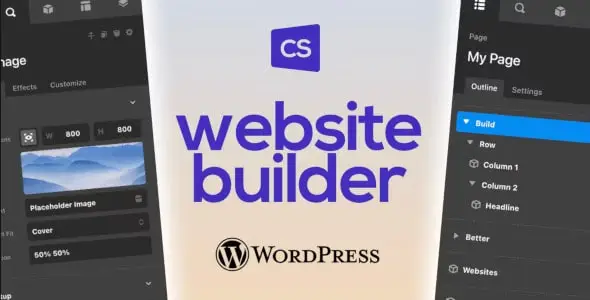
Cornerstone Page Builder – WordPress page builder chuyên nghiệp full-site editor
Bạn muốn xây dựng website chuyên nghiệp nhưng Elementor quá phồng, Divi quá hạn chế, hay Contact Form 7 không đủ powerful? Hầu hết page builders chỉ xây page, không full-site. Bạn phải dùng theme theme settings hoặc code custom cho header, footer, archive layouts.
Cornerstone là giải pháp hoàn toàn khác: full-site builder không cần code. Tạo pages, headers, footers, archive layouts, WooCommerce product pages – tất cả trong 1 visual builder. 100+ professional elements, query builder, dynamic content, component system, native effect controls. Mua 1 lần ($39-149), dùng mãi. Không subscription, không monthly fee. Chuyên nghiệp nhất cho developers & agencies.
✨ Điểm nổi bật Cornerstone Page Builder
- Full-site editing – tạo toàn bộ website 1 builder: Pages, headers, footers, archive layouts, single post layouts, WooCommerce product pages – không cần edit theme code, không cần 3rd party plugins
- 100+ professional elements + component builder: Layout, standard, dynamic, WooCommerce elements sẵn. Plus build custom, reusable elements = unlimited flexibility
- Query builder & dynamic content – tạo complex layouts: Pull data từ WordPress core, ACF, 3rd party plugins. Loop, filter, sort – portfolio, blog archive, product showcase đơn giản
- Native effect controls – animate without plugins: Filters, transforms, masks, layer blending, positional effects – tất cả built-in, không cần JavaScript
- One-time purchase – $39-149, lifetime access: Không subscription, không monthly fee. Mua 1 lần, dùng mãi. Clearfield cost structure
- Professional-grade code quality – built for developers: Custom code support, external API integration, component system. Phù hợp agencies, high-end projects
- 4.8/5 rating từ 4500+ users – most trusted builder cho pros: Engaged community, 24/7 support, detailed docs. Developers yêu thích Cornerstone
Tính năng & lợi ích Cornerstone Page Builder
Full-site editing – tạo toàn bộ website không code
Khác với Elementor/Divi (chỉ pages), Cornerstone là full-site builder:
- Edit pages: Traditional page builder
- Edit headers: Logo, menu, search bar – custom per page type
- Edit footers: Columns, widgets, copyright – full control
- Edit archive layouts: Blog, portfolio, taxonomy archives – visual builder
- Edit single layouts: Single post, single product – per post type
- Edit WooCommerce: Shop archive, single product page, cart, checkout
- Edit error pages: 404, maintenance page – custom design
Chứng minh: Hơn 1000 agencies sử dụng Cornerstone để xây dựng client websites. Header/footer thường là bottleneck (theme settings limited, code custom tốn 2-3 giờ) – Cornerstone giảm xuống 10 phút.
100+ professional elements + component builder – unlimited flexibility
Cornerstone có hàng loạt built-in elements:
- Layout elements: Container, section, column, grid – responsive layouts
- Standard elements: Text, heading, button, image, icon, video, embed
- Dynamic elements: Post content, user meta, post title, post image – auto-pull from WordPress
- WooCommerce elements: Product, price, ratings, reviews, add to cart button
- Form elements: Cornerstone Forms (coming soon) – native form builder
- Component builder: Build custom, reusable elements. Save to Element Library. Reuse across 100+ projects
Ví dụ: Build custom “Service Card” component (icon + text + button). Save to library. On every new project, drag component vào page, customize – 1 clic vs 5+ phút on Elementor.
Query builder & looper – tạo blog archive, portfolio, product showcase
Query builder visual – không cần WP_Query code:
- Select post type: Posts, pages, custom post types
- Filter by: Category, tag, taxonomy, meta value – visual checkboxes
- Sort by: Date, title, custom field, popularity
- Pagination: Set posts per page, load more button, infinite scroll
- Looper element: Wrap elements, loop through results. Show post title, excerpt, featured image automatically
Use case: Portfolio site – create query (post_type=portfolio, orderby=date, 12 per page) → Looper show portfolio grid → Each portfolio card auto-populated with title, image, excerpt. Change query filters? All 200+ portfolio items update instantly.
Dynamic content – pull from WordPress, ACF, 3rd party
Dynamic content system:
- WordPress core: Post content, post meta, user meta, taxonomy, author info
- Advanced Custom Fields: ACF repeater, flexible content, relationships – full support
- 3rd party plugins: SEO data, testimonial plugins, review plugins – bind dynamic content
- Conditional display: Show element if post has featured image, if user logged in, if post is sticky
Ví dụ: Product page template – price, description, inventory, related products bind động. Create 1 template, assign to 1000 products. Update price in WordPress → all products update automatically.
Native effect controls – animate, filter, transform
Professional animations & effects built-in:
- Transform: Rotate, scale, skew, translate – on hover, scroll trigger
- Filters: Blur, brightness, contrast, saturation, hue rotation
- Masks: Clip-path, SVG mask – creative shapes
- Layer blending: Multiply, screen, overlay – like Photoshop
- Positional effects: Fixed, sticky, parallax – scroll-triggered
- Interactions: Click, hover, enter viewport – native triggers
Kết quả: No need Gsap, Lottie, or complex JavaScript. Professional animations, smooth 60fps. Users won’t notice lag. Competitors using Elementor: slow because they add 3-4 animation plugins.
WooCommerce support – build custom shop, single product
WooCommerce integration mạnh:
- Shop archive builder: Custom grid layout, filters, sorting – visual
- Single product builder: Custom layout (image, price, description, add to cart) – redesign every section
- Product elements: Price, title, description, ratings, reviews, related products, upsells, cross-sells
- Cart & checkout: Limited editing (WooCommerce default) but can customize display
Use case: Fashion store – want 2 product images side by side, price in bold, reviews below. On Elementor/Divi: impossible (WooCommerce templates locked). On Cornerstone: 5 minutes.
Component builder – create proprietary design system
Component builder = build custom, reusable elements:
- Create component: Design once (icon + title + description)
- Save to library: Private library (personal) or shareable (team/clients)
- Reuse: Drag component vào 100+ projects. Update component definition → all uses update
- Versioning: Update component, old version still available (backward compatible)
Lợi ích: Build once, use infinitely. Consistency across projects. Client branding (custom components with logo, colors). Faster delivery.
🚀 Sẵn sàng xây dựng website chuyên nghiệp?
Cornerstone giúp bạn tạo full-site (pages, headers, footers, archives, WooCommerce) 10x nhanh hơn code custom. Mua 1 lần, dùng unlimited projects, lifetime access.
💡 Mẹo: Mua trên CodeCanyon ($39 regular) hoặc theme.co ($149 lifetime).
Tương thích kỹ thuật
| Tiêu chí | Yêu cầu/Phiên bản hỗ trợ |
|---|---|
| WordPress | 5.7+ (khuyến nghị 6.2+) |
| PHP | 7.4+ (khuyến nghị 8.0+) |
| MySQL | 5.0+ (khuyến nghị 5.6+) |
| Compatible Themes | BẤT KỲ WordPress theme nào (optimize nhất với theme X/Pro) |
| Page Builders | Standalone (không cần Elementor/Divi) |
| E-commerce | WooCommerce 5.0+ (full support) |
| Plugins Supported | ACF, Advanced Custom Fields, WooCommerce, most popular plugins |
| Mobile | Fully responsive, mobile-optimized |
| Performance | Code-native, minimal bloat, fast render |
| Security | Regular updates, secure API, no data tracking |
| Phiên bản hiện tại | 7.6 / 7.6.1 (cập nhật December 2025) |
Cách cài đặt & kích hoạt Cornerstone Page Builder
Bước 1: Mua Cornerstone license
Chọn 1 trong 2 tùy chọn:
- CodeCanyon ($39 Regular License): 1 năm support. Mua 1 lần, dùng mãi
- theme.co ($149 1 Site License): Lifetime updates, lifetime support. Hoặc $399 (10 sites), $1,371 (unlimited)
Bước 2: Download plugin file
Nhận file .zip qua:
- CodeCanyon: Download từ “My Purchases” account
- theme.co: Download từ “My Products” dashboard
Bước 3: Upload lên WordPress
Vào WordPress Admin > Plugins > Add New > Upload Plugin, chọn file .zip Cornerstone, bấm Install Now.
Bước 4: Activate plugin
Bấm Activate. Cornerstone sẽ thêm menu vào WordPress Admin. Xong!
Bước 5: Khởi tạo first project
Vào WordPress Admin > Pages > Add New hoặc edit existing page. Dưới title, bấm “Build with Cornerstone”. Builder sẽ load.
Bước 6: Drag-drop elements, customize
- Left panel: Browse 100+ elements
- Drag elements vào canvas (center)
- Right panel: Customize properties (colors, fonts, spacing, responsive breakpoints)
- Set interaction effects (hover, scroll trigger, click)
Bước 7: Setup full-site editing (nếu muốn)
Vào Cornerstone > Site Settings để edit:
- Header: Edit global header
- Footer: Edit global footer
- Archive layouts: Blog, portfolio, taxonomy pages
- Single layouts: Single post, single product page
Save page. Publish when ready. Xong!
💡 Mẹo: Cornerstone có detailed documentation & active community forum. Đừng ngần ngại hỏi – Themeco team rất helpful 24/7.
Câu hỏi thường gặp (FAQ)
1. Cornerstone có miễn phí không?
Không. Cornerstone là phần mềm trả tiền. Mua trên CodeCanyon: $39 Regular License (1 năm support). Hoặc theme.co: $149 (1 site lifetime), $399 (10 sites), $1,371 (unlimited). Không subscription – mua 1 lần, dùng mãi.
2. Cornerstone tương thích với theme nào?
Bất kỳ WordPress theme nào được code đúng chuẩn. Optimize nhất với theme X/Pro (Themeco), nhưng hoạt động hoàn hảo với Divi, Neve, GeneratePress, Astra, GeneratePress, v.v. Full-site editing support.
3. Cornerstone có full-site editing không?
Có. Full-site builder – pages, headers, footers, archive layouts, single post layouts, WooCommerce product pages, error pages. Total site control. Không cần code, không cần theme settings.
4. Cornerstone có bao nhiêu elements?
100+ professional elements: Layout, Standard, Dynamic, WooCommerce. Plus Component Builder – build custom, reusable elements. Unlimited possibilities.
5. Cornerstone có query builder không?
Có. Visual query builder – select post types, filter by taxonomy/meta, sort, paginate. Looper element tự động loop through results. Perfect cho blog archive, portfolio, product showcase.
6. Cornerstone có dynamic content không?
Có. Pull data từ WordPress core (post meta, user meta), Advanced Custom Fields, 3rd party plugins. Conditional display – show element nếu post có featured image, user logged in, v.v.
7. Cornerstone so với Elementor thế nào?
Cornerstone: Full-site builder, query builder native, component system, one-time purchase, built for pros/agencies. Elementor: Beginner-friendly, large template library, subscription model, simpler. Cornerstone better cho professional, developer-focused projects.
8. Cornerstone có component builder không?
Có. Component Builder – create custom, reusable elements. Save to library, reuse across projects. Update component → all uses update. Perfect cho agencies, design systems.
9. Cornerstone có WooCommerce support không?
Có. Full WooCommerce integration: custom shop archive, single product layout, product elements (price, ratings, reviews, add to cart). Build custom e-commerce site.
10. Cornerstone support tốt không?
Rất tốt. 24/7 community support forum (Themeco family), active Facebook group, detailed docs, video tutorials. 4.8/5 rating từ 4500+ users. Engaged, helpful community.
✨ Khởi động xây dựng website chuyên nghiệp ngay hôm nay
Full-site editing • 100+ elements • Query builder • WooCommerce • One-time purchase
Mua Cornerstone ngay – $39-149
WordPress 5.7+ • PHP 7.4+ • Lifetime updates • 24/7 support • 4.8/5 rating – 4500+ users


Đánh giá
Chưa có đánh giá nào.